Licensed distribution · Remote installation · Multilingual support

Scania Multi and SDP3 installed and running in your workshop

Complete parts catalog and diagnostics for Scania trucks and buses. You buy, we install it remotely and leave everything ready to work — the same day.

  • Remote installation via AnyDesk included in every package
  • After-sales support in English, Portuguese and Spanish
  • Activation guaranteed on your computer

Remote installation

We connect to your computer and install everything. You don't need to be tech-savvy.

Real support

Direct support in English, Portuguese and Spanish, before and after the sale.

Ready the same day

From purchase to a working workshop: installation done in hours, not weeks.

The two software tools every Scania workshop needs

Parts and diagnostics — together they cover the full maintenance cycle.

Parts and service catalog

Scania Multi

The electronic catalog for the Scania line: parts, standard service times and technical information for trucks, buses and engines.

  • Parts lookup by chassis
  • Standard labor times
  • Technical maintenance information
  • Trucks, buses and industrial engines

You get the latest 2025 version — the most recent one available.

Permanent activation. Reactivations on the same machine (did you format it, swap a part or did Windows update?) are covered by the Reactivation Guarantee: US$ 20.

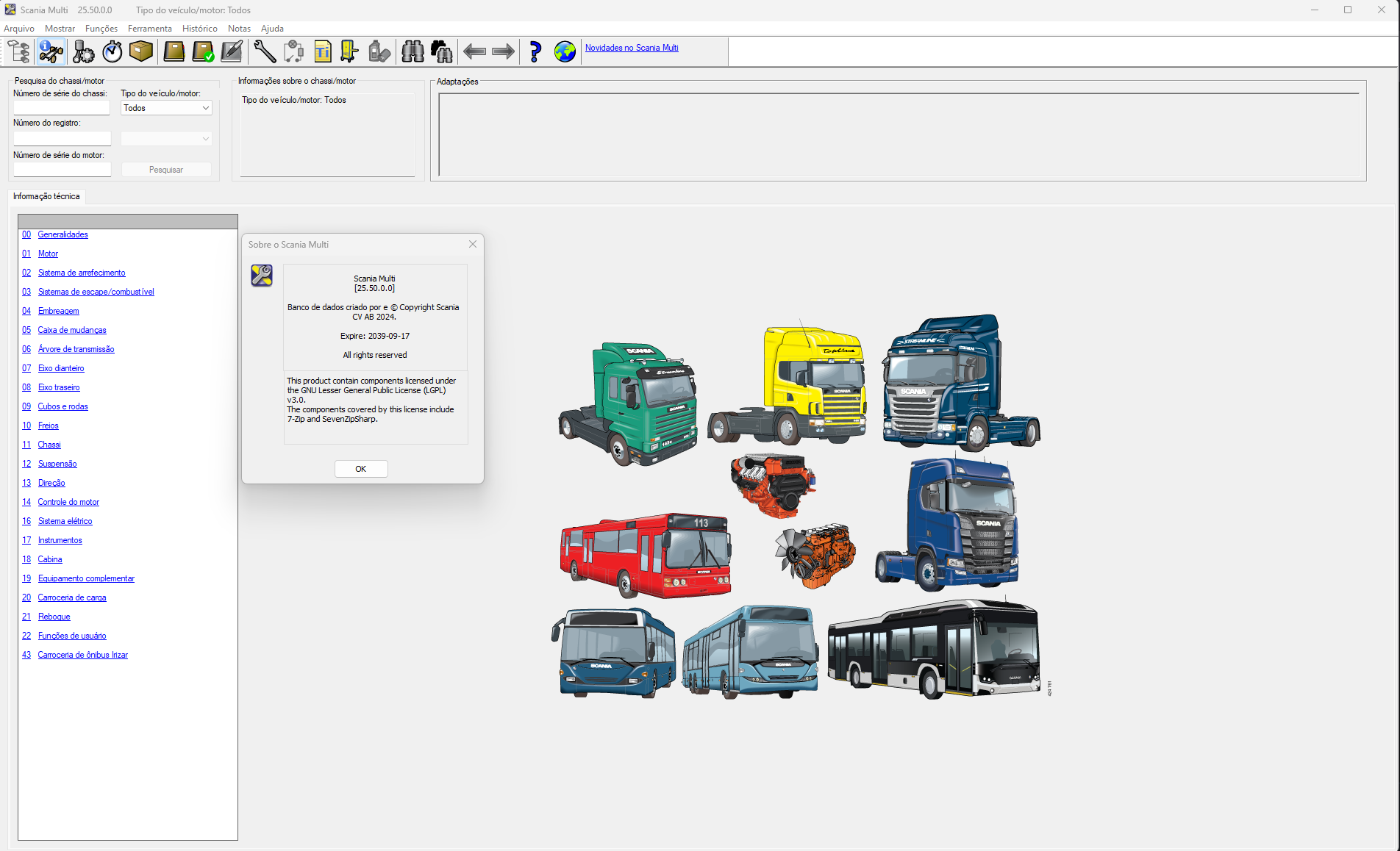
"About Scania Multi" window showing the latest 2025 version installed and activated.
"About" screen of the Scania Multi we install — check the version right in the software.
Diagnostics and programming

Scania SDP3

Scania's diagnostic tool: reading and clearing fault codes, component tests, calibrations and parameter adjustment.

  • Read and clear fault codes
  • Guided component tests
  • Parameter adjustment and calibrations
  • Compatible with the VCI3 interface

You get the latest 2025 version — the most recent one available.

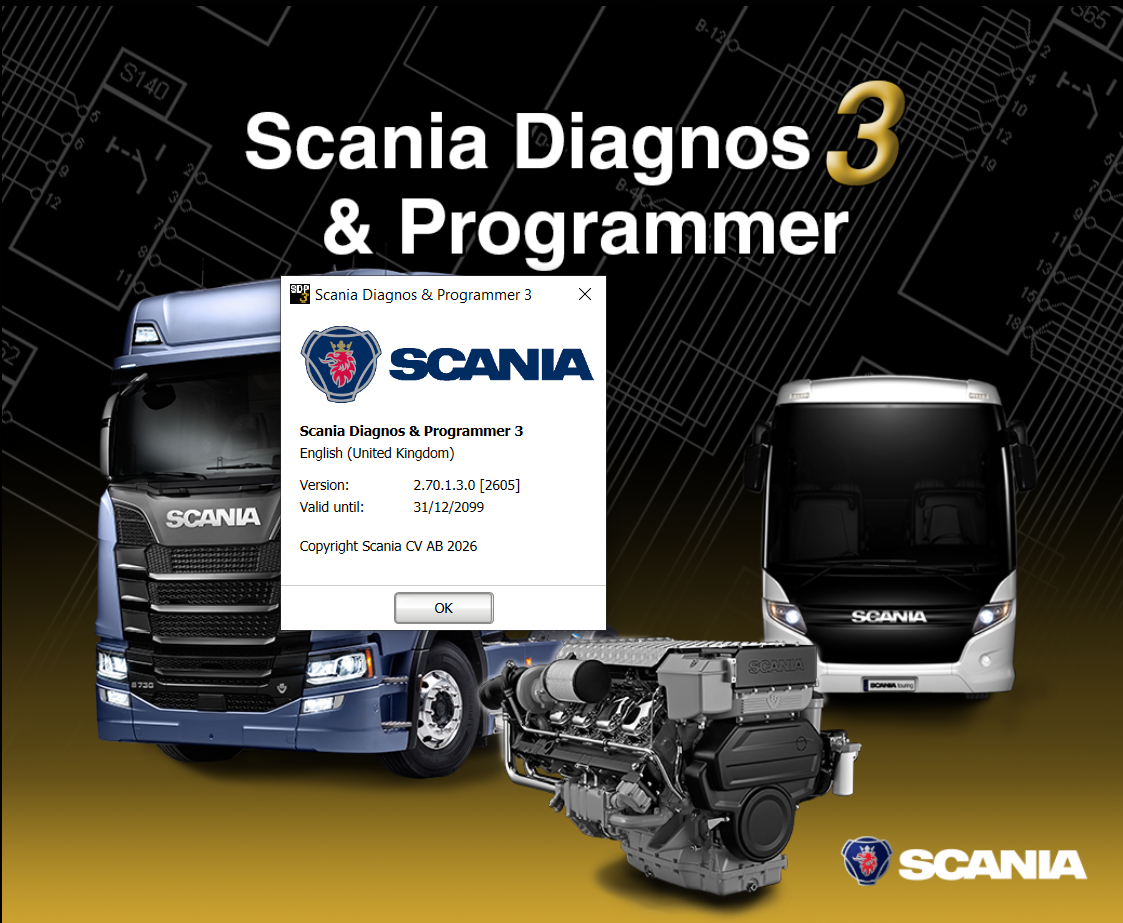
"About Scania Diagnos & Programmer 3" window showing the installed and activated version.
"About" screen of the Scania SDP3 we install — check the version right in the software.

Growing catalog

Multi and SDP3 are just the start. Soon, more diagnostic and catalog software to equip your workshop.

Direct pricing, no surprises

Every package includes remote installation and support.

Scania Multi

US$ 50

  • Scania Multi license
  • One-time remote installation
  • Permanent activation
  • Full initial setup
  • 30 days of support
I want Multi

Scania SDP3

US$ 70

  • Scania SDP3 license
  • One-time remote installation
  • Permanent activation
  • VCI interface setup
  • 30 days of support
I want SDP3

Scania XCOM

Advanced communication tool that works alongside SDP3 for low-level operations. Get it on its own or add it to your SDP3 for just US$ 30.

US$ 50

standalone · +US$ 30 with SDP3

Add XCOM

Reactivation Guarantee

Formatted your PC, Windows updated or the software deactivated? With the guarantee you get 2 reactivations for the same computer, with no expiration — we connect and get it running the same day. It works out to US$ 10 each.

US$ 20

2 reactivations · same PC

Add guarantee

Prices in US dollars. Payment via PayPal: you get in touch, we send the link and you pay securely — we accept orders from any country.

How it works

Four steps between the first message and your workshop up and running.

  1. 1

    Message us on WhatsApp

    Get your questions answered and choose the ideal package for your workshop.

  2. 2

    Payment via PayPal

    We send you the PayPal payment link. You pay securely, from any country, and get confirmation right away.

  3. 3

    Remote installation

    We connect to your computer via AnyDesk and install everything for you.

  4. 4

    Ready to work

    Software activated, tested and backed by guaranteed after-sales support.

Compatibility and requirements

Check before buying — or send us your computer's specs and we'll confirm it for you.

  • Windows 10 or 11 (64-bit)
  • At least 8 GB of RAM (16 GB recommended)
  • Free disk space depending on the version (ask on WhatsApp)
  • SDP3: requires a VCI3 communication interface to connect to the vehicle
  • Internet connection for the remote installation

Not sure if your computer is compatible? Send your specs on WhatsApp and we'll confirm before you buy.

Check compatibility

Frequently asked questions

How does the remote installation work?

After your payment is confirmed, we schedule a time, you install AnyDesk (free) and we connect to your computer. We install, activate and test everything in front of you. It usually takes 1 to 3 hours depending on your internet.

Do I need the VCI interface to use SDP3?

Yes. SDP3 communicates with the truck through the VCI3 interface. If you don't have the interface yet, message us on WhatsApp and we'll guide you through the options.

Which vehicles is the software for?

Scania trucks, buses and industrial engines. If you want to confirm a specific model or year, message us on WhatsApp before buying.

What are the payment methods?

Payment is via PayPal. You get in touch, we send the payment link and you pay securely from any country. The link is always sent through our official channel.

Do you provide support after installation?

Yes. Every package includes after-sales support — 30 days on individual packages and 90 priority days on the complete package. After that, our channel stays open for upgrades and new installations.

What if the software deactivates after a while?

It happens sometimes — formatting, swapping parts or a Windows update can deactivate the software. Within your package's support period, reactivation is free. After that, there's the Reactivation Guarantee: US$ 20 for 2 reactivations on the same computer, with no expiration — that's US$ 10 each and we solve it the same day.

Do I get version updates?

We notify customers when new versions are available and offer a special upgrade deal for those who already bought from us.

Ready to equip your workshop?

Talk to a specialist now and get your software installed today.

Chat on WhatsApp